Configuration — Where Do My Args Go?
The Agent vs Client Instance configuration fields, with examples
There are three places to put extra launch arguments in Pitchfork, and the difference between them is the most common source of confusion. Here's the rule of thumb, then the details with screenshots.
TL;DR
| Field | Lives on | Applies to | Use for |
|---|---|---|---|
| Custom JVM Arguments (Agent) | Agent | Every client this agent launches | Per-machine settings: timezone, JRE flags, memory caps |
| Custom JVM Arguments (Client Instance) | Client Instance | Every launch using this client config | Per-config JVM tuning: heap size for a memory-hungry script |
| Custom Client Arguments (Client Instance) | Client Instance | Passed to the client itself, not the JVM | Client-specific flags: -share-cache, -layout fixed, script args |
| JAR Path | Client Instance | Where the agent looks for the client JAR | RuneLite and Custom clients only |
Agent vs Client Instance — what's the difference?
- An Agent is the binary running on a physical machine. It might launch many clients of different types.
- A Client Instance is a configuration template (a name, a client type, a memory limit, custom args). The same Client Instance can be used by multiple agents.
When a script launches:
final_command = [JRE]
              + Agent.CustomJvmArguments        # all clients this agent runs
              + ClientInstance.CustomJvmArguments  # this specific config
              + [client-specific flags]
              + ClientInstance.CustomClientArguments  # passed to the client
So if you want a setting on just one agent (your home PC), put it on the Agent. If you want it on every machine using a particular client config, put it on the Client Instance.
Agent: Custom JVM Arguments
Open Agents → click your agent → settings panel. The Custom JVM Arguments field looks like this when empty:
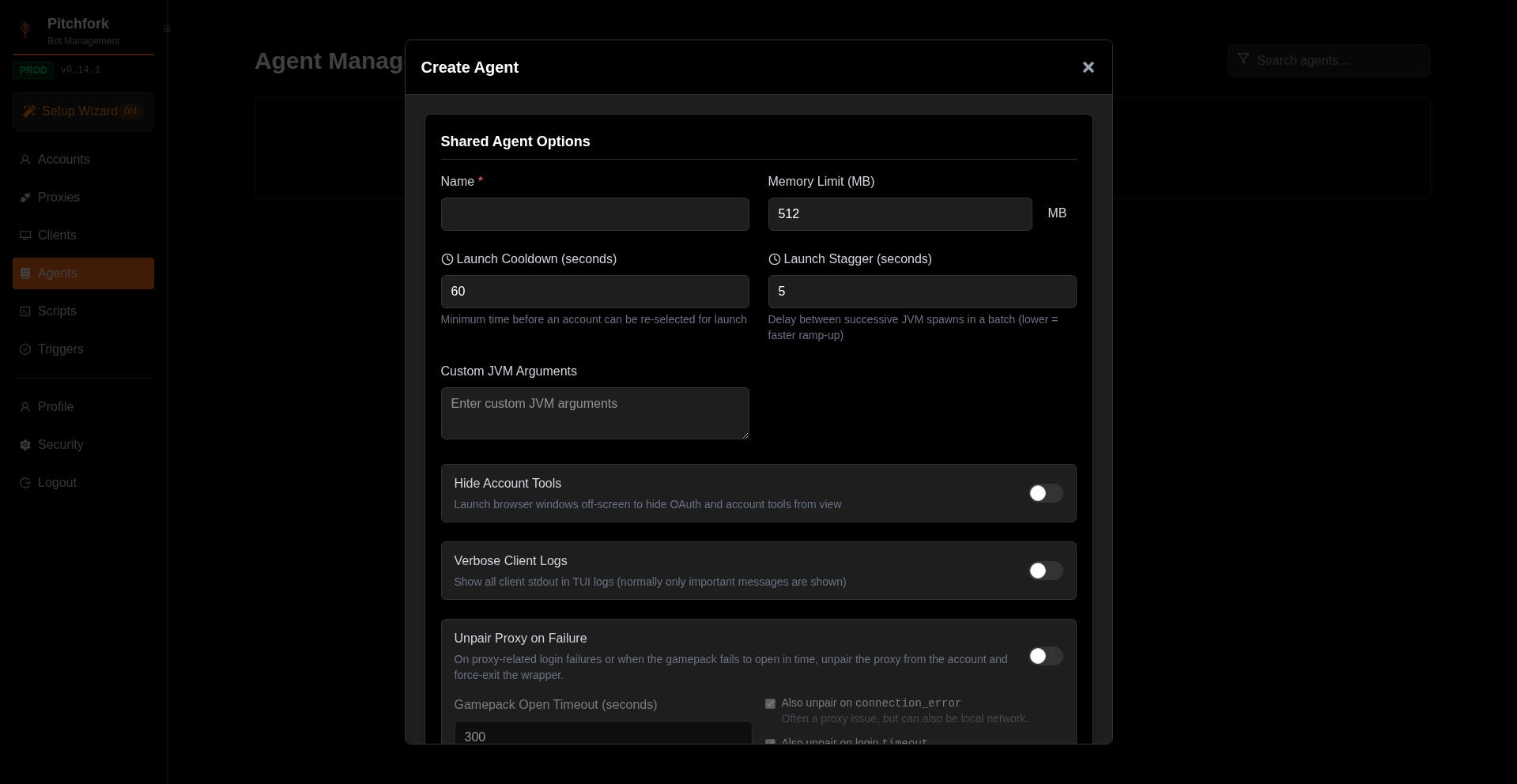
Filled with example values (a sensible default for a US-based agent that runs Java clients):
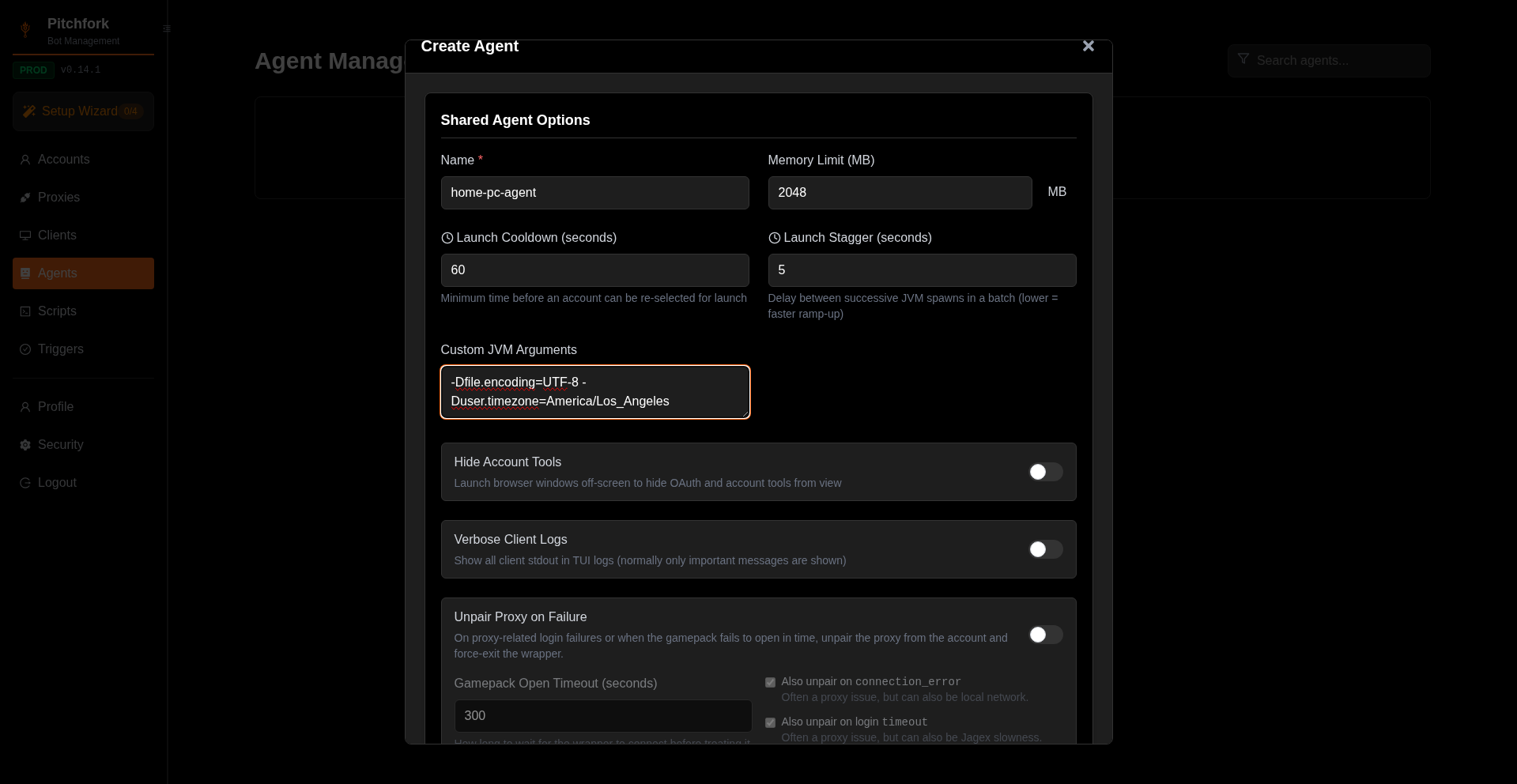
The two flags shown — -Dfile.encoding=UTF-8 and -Duser.timezone=America/Los_Angeles — apply to every client this agent ever launches. Common things people put here:
- Timezone —
-Duser.timezone=America/New_York - Encoding —
-Dfile.encoding=UTF-8 - Memory caps —
-Xmx4096m(most clients also have a Memory field; only set this if you're overriding) - Locale —
-Duser.language=en
Client Instance: Custom JVM vs Custom Client Arguments
Open Clients → click any supported tile's Create Instance button. The form has two distinct fields under Advanced Configuration:
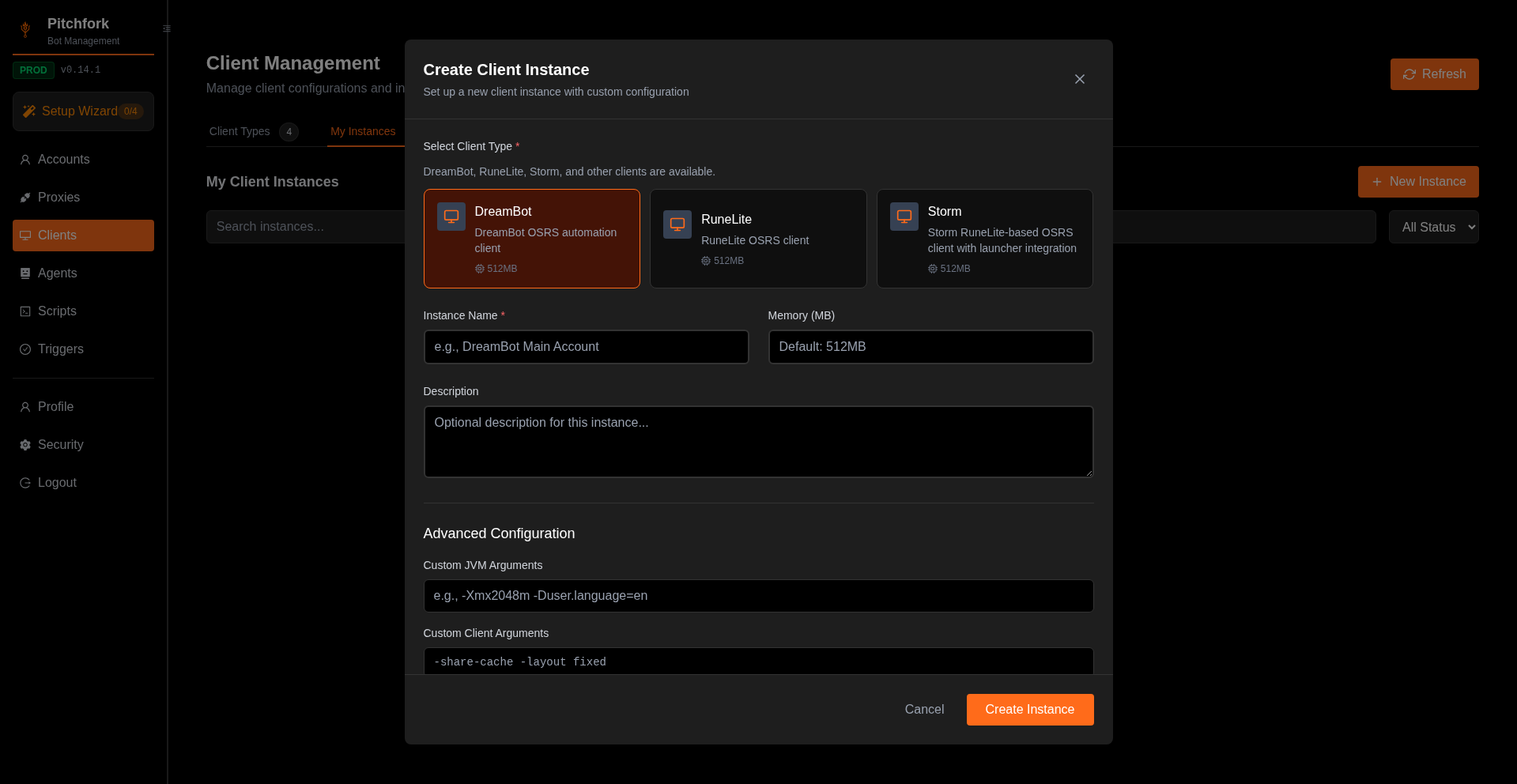
Custom JVM Arguments are passed to the JVM. They start with -D or -X. Example: -Xmx2048m -Duser.language=en.
Custom Client Arguments are passed to the client binary itself, after JVM args. The placeholder text is client-specific:
- RuneLite-based:
--script {{script}} --args {{script_params}} - MicroBot: plugin-specific flags
That {{...}} syntax is real — Pitchfork substitutes template variables at launch time. Click Available template variables to see the full list (account name, script name, script params, world, etc.).
JAR Path — only for RuneLite and Custom
For Prohibition and MicroBot, the agent already knows where the client lives (the wrapper handles it). For RuneLite and Custom, you have to tell Pitchfork where the JAR is. The field shows up in Advanced Configuration only for those types:
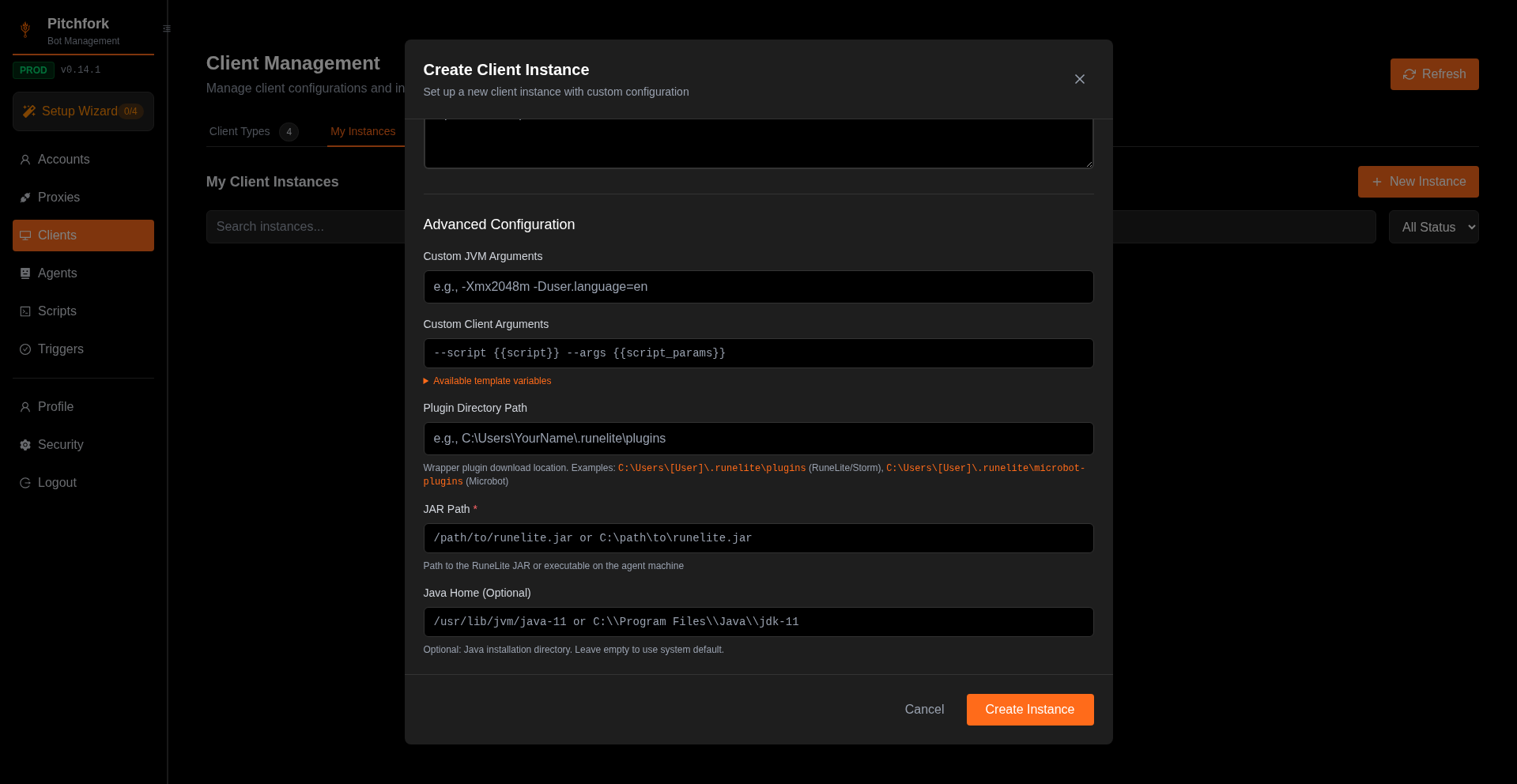
Notable RuneLite-only fields visible above:
- Plugin Directory Path — where the wrapper drops downloaded plugins. Default examples are shown for RuneLite and Microbot.
- JAR Path (required) — absolute path to your
runelite.jaron the agent machine. Must be readable by the agent process. - Java Home (optional) — point at a specific JRE if the system default isn't compatible. RuneLite-based clients typically need Java 11.
Common mistakes
- Setting heap on the Agent for one heavy script. Put
-Xmxon the Client Instance instead, so other clients on the same agent aren't bloated. - Forgetting JAR Path on RuneLite. If the field is empty for a RuneLite-based client, the launch will fail with a "JAR not found" error. The default placeholder shows the expected format.
- Setting JAR Path for a bundled client. The field doesn't appear for clients whose JAR is bundled. If you want a non-standard install location, talk to support.
Was this page helpful?