RuneLite
Pitchfork support for RuneLite and RuneLite-based clients
RuneLite
RuneLite is the open-source third-party client for OSRS. By itself it doesn't run scripts — Pitchfork's RuneLite integration is for users running RuneLite-based botting clients or RuneLite as a manual play client managed inside Pitchfork.
Support Status
Supported for launching with credentials. Pitchfork can launch RuneLite, hand it account credentials, and toggle the plugin loader. Bot-script-specific configuration (which RuneLite itself doesn't expose) needs to come from your fork's CLI flags via Custom JVM Arguments.
How to use
- Download RuneLite (or your RuneLite-based client) and place the JAR somewhere your agent can read.
- In Pitchfork, Clients → Client Types tab → Create Instance on the RuneLite tile.
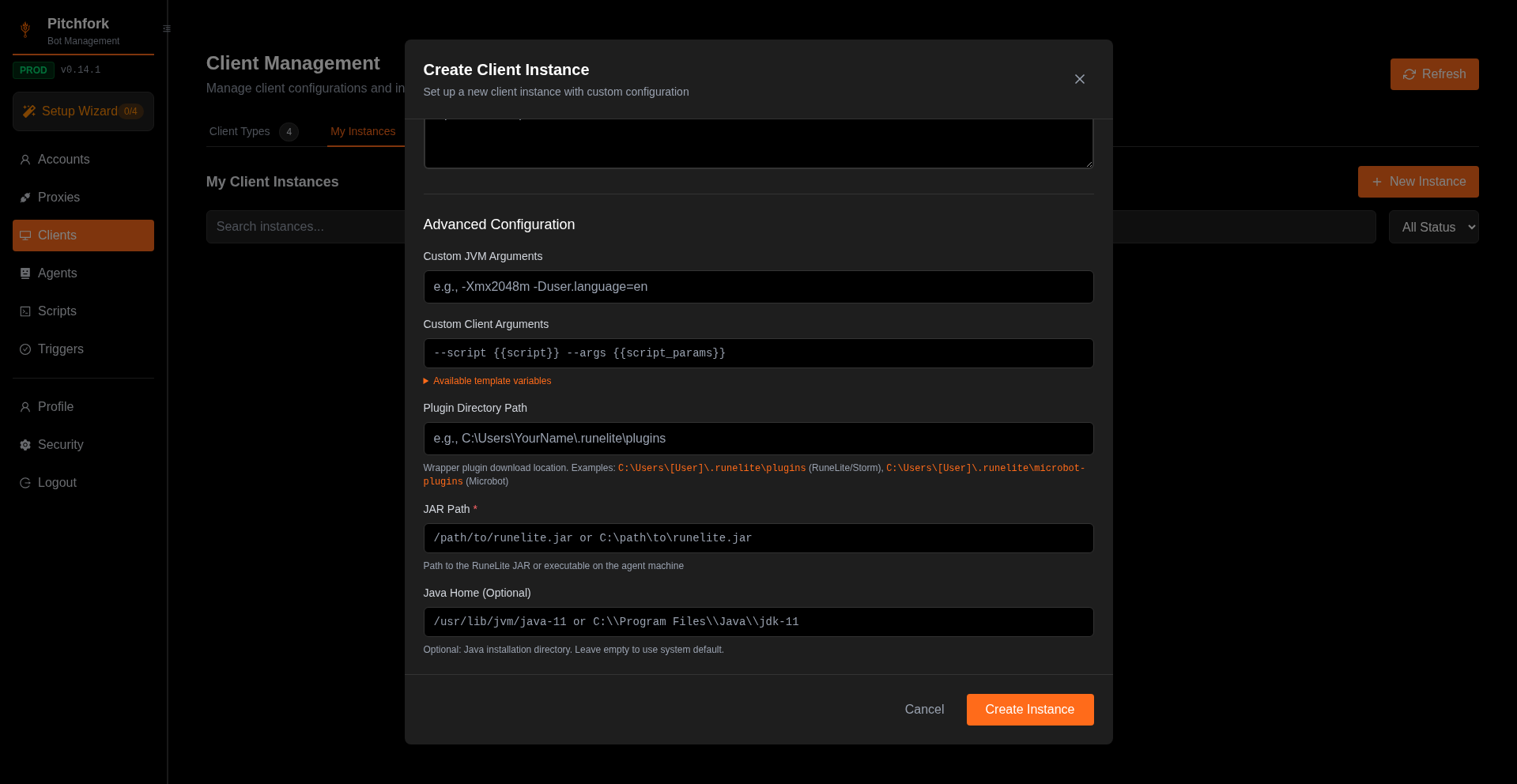
- Configure under Advanced Configuration:
- JAR Path (required) — absolute path to the client JAR on the agent machine
- Plugin Directory Path (optional) — where downloaded plugins land
- Java Home (optional) — point at Java 11 if your system default is older
- Custom JVM / Client Arguments — see Configuration
- Save and launch from Accounts. Credentials are passed via
--username/--password.
The Create Client Instance modal with RuneLite selected (JAR Path visible at the bottom):
Generated launch flags
| Field | Flag |
|---|---|
| Game username | --username <user> |
| Game password | --password <pass> |
| Plugins disabled | --noplugins |
If you're running a botting fork, see its docs for the additional CLI flags it accepts and add them under Custom JVM Arguments.
Was this page helpful?